

Fixing Wi-Fi Dead Zones: Extenders, Mesh or Access Points?
Quick answer
Thick walls and multiple floors are hard on Wi-Fi. Learn the difference between extenders, mesh systems and wired access points and which one fixes your problem.
By ITvein TeamPublished Updated 2 min read
Many homes and offices in Pakistan are built with brick, concrete slabs and steel reinforcement — great for strength, hard on Wi-Fi. A single router in one corner rarely covers every room on every floor.
Why Wi-Fi struggles
- Walls and floors absorb and reflect signal; concrete slabs between floors are especially tough.
- Distance reduces signal strength and speed.
- Interference from neighbouring networks, especially on 2.4 GHz.
- Router placement in a cupboard, corner or near metal objects.
Step 1: Optimise what you have
- Place the router centrally, high and in the open.
- Use both 2.4 GHz (range) and 5 GHz (speed) bands.
- Update router firmware.
- Choose a less crowded channel if the router allows.
Option 1: Wi-Fi extenders (repeaters)
An extender receives your router's signal and rebroadcasts it.
- Pros: cheap, quick.
- Cons: often halves speed, may create a separate network name, devices don't always switch smoothly.
- Use for: one weak room.
Option 2: Mesh Wi-Fi systems
Several units work together as one network with one name, passing devices between units automatically.
- Pros: seamless roaming, easy app setup, better than extenders.
- Cons: wireless backhaul between units still loses speed through thick floors; best results when units are wired together (Ethernet backhaul).
- Use for: homes and small offices that need whole-building coverage.
Option 3: Wired access points
Access points connected by network cable (often PoE-powered) to a switch, managed as one system by a controller or cloud.
- Pros: most reliable and fastest; scales to large buildings; central management; guest networks.
- Cons: needs cabling.
- Use for: offices, schools, hotels, warehouses and large homes.
See PoE explained and wireless controllers.
Rule of thumb for multi-storey buildings
Put at least one access point (or wired mesh unit) on every floor. Signal passing through concrete floors is the most common reason for dead zones.
Wi-Fi for cameras
Wi-Fi cameras need steady signal where they are mounted, often on the 2.4 GHz band. Test signal at the exact location before mounting. Read Wi-Fi vs wired CCTV.
Need help?
Our networking and Wi-Fi service covers surveys, cabling and access point installation in our service cities.
Frequently asked questions
Is mesh better than an extender?
Generally yes. Mesh gives one seamless network and better performance, especially with wired backhaul.
Will a more expensive router fix dead zones?
Sometimes for a small home. For multi-storey or large buildings, extra access points or mesh units are usually needed regardless of router quality.
Should I use 2.4 GHz or 5 GHz?
2.4 GHz reaches further through walls but is slower and crowded. 5 GHz is faster at shorter range. Modern systems use both automatically.
Want advice for your own site?
Send photos and your requirements — we reply with an itemised quotation.
Products mentioned in this guide
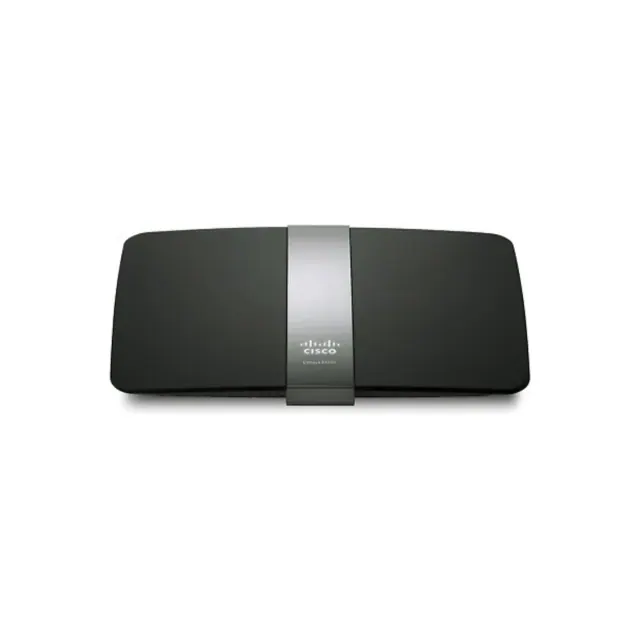
Cisco
Cisco Linksys E4200 Dual-Band Wireless-N Router 140 channel
In stock
Price range PKR 4,500–6,000
Price confirmed on WhatsApp